About VPCSC
Virtual Private Cloud Service Controls allows us to enforce GCP service access perimeters - this translates to “we can specify which GCP services (apis) can be used in a set of VPCs or projects, who can access those services, and from where they may be accessed”.
VPCSC is similar to a firewall but for GCP services (apis)…
Simple VPC-SC
Here is an example: let’s say we have pr-project-3 in VPC-SC-1 that contains images in Google Artifact Registry and projects pr-project-2 in VPC-SC-1, np-project-2 in VPC-SC-2, and al-project-2 want to pull images from there. What happens? What do we need?
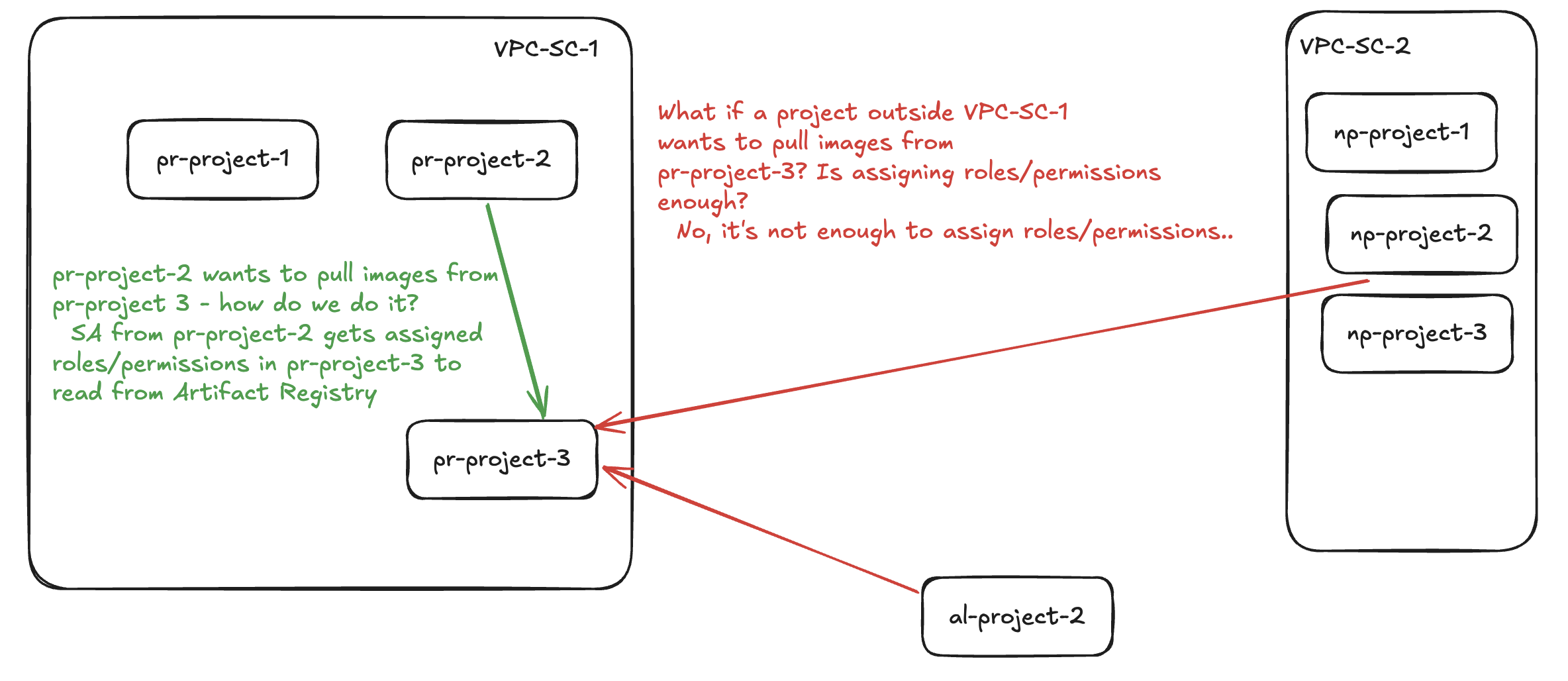
| Project | VPC-SC Perimeter | What is needed to access pr-project-3? |
|---|---|---|
pr-project-2 |
vpc-sc-1 |
IAM |
al-project-2 |
Outside VPCSC | Ingress rule in vpc-sc-1 + IAM |
np-project-2 |
vpc-sc-2 |
Ingress rule in vpc-sc-1 + Egress rule in vpc-sc-2 + IAM |
VPC-SC with Shared use case
We can create perimeters for different reasons, here is what makes sense in most cases:
- At least 2 for PCI applications (nonp and prod)
- At least 2 for regular workloads (nonp and prod)
- Optional to have a “shared” perimeter to have projects that can be accessed from multiple VPC-SCs.
pr-project-3in the example above would be a great fit for that “shared” perimeter.
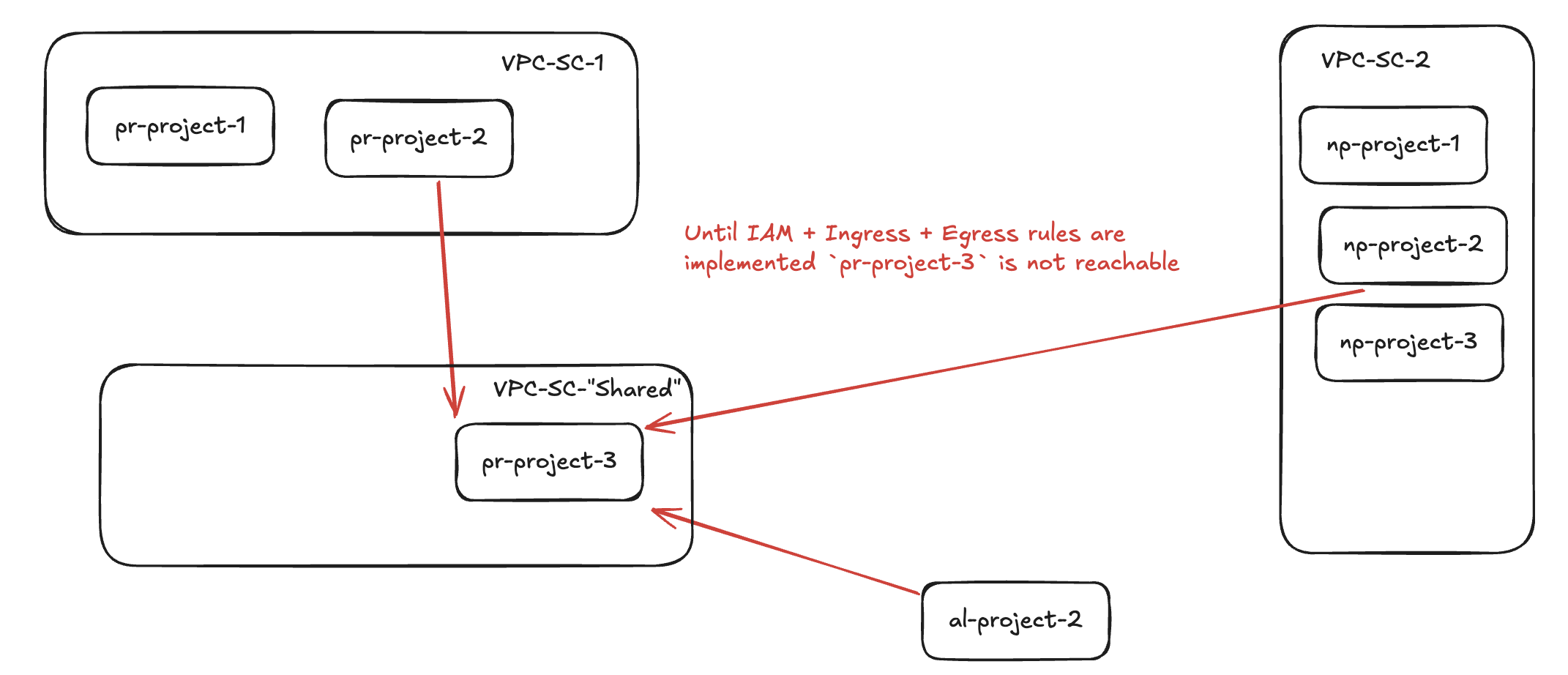
| Project | VPC-SC Perimeter | What is needed to access pr-project-3? |
|---|---|---|
pr-project-2 |
vpc-sc-1 |
Ingress rule in vpc-sc-3 + Egress rule in vpc-sc-1 + IAM |
al-project-2 |
Outside VPCSC | Ingress rule in vpc-sc-3 + IAM |
np-project-2 |
vpc-sc-2 |
Ingress rule in vpc-sc-3 + Egress rule in vpc-sc-2 + IAM |
Now, you might have noticed that “Ingress rule in vpc-sc-3” and “IAM” are common to all of them. With this, we can more easily define just 1 rule in VPC-SC-Shared to potentialy only allow a service account with a specific name, for example. This makes our life’s better when thinking about creating a useful pattern for organizations and scaling VPC-SC usage by covering this “shared” use case.